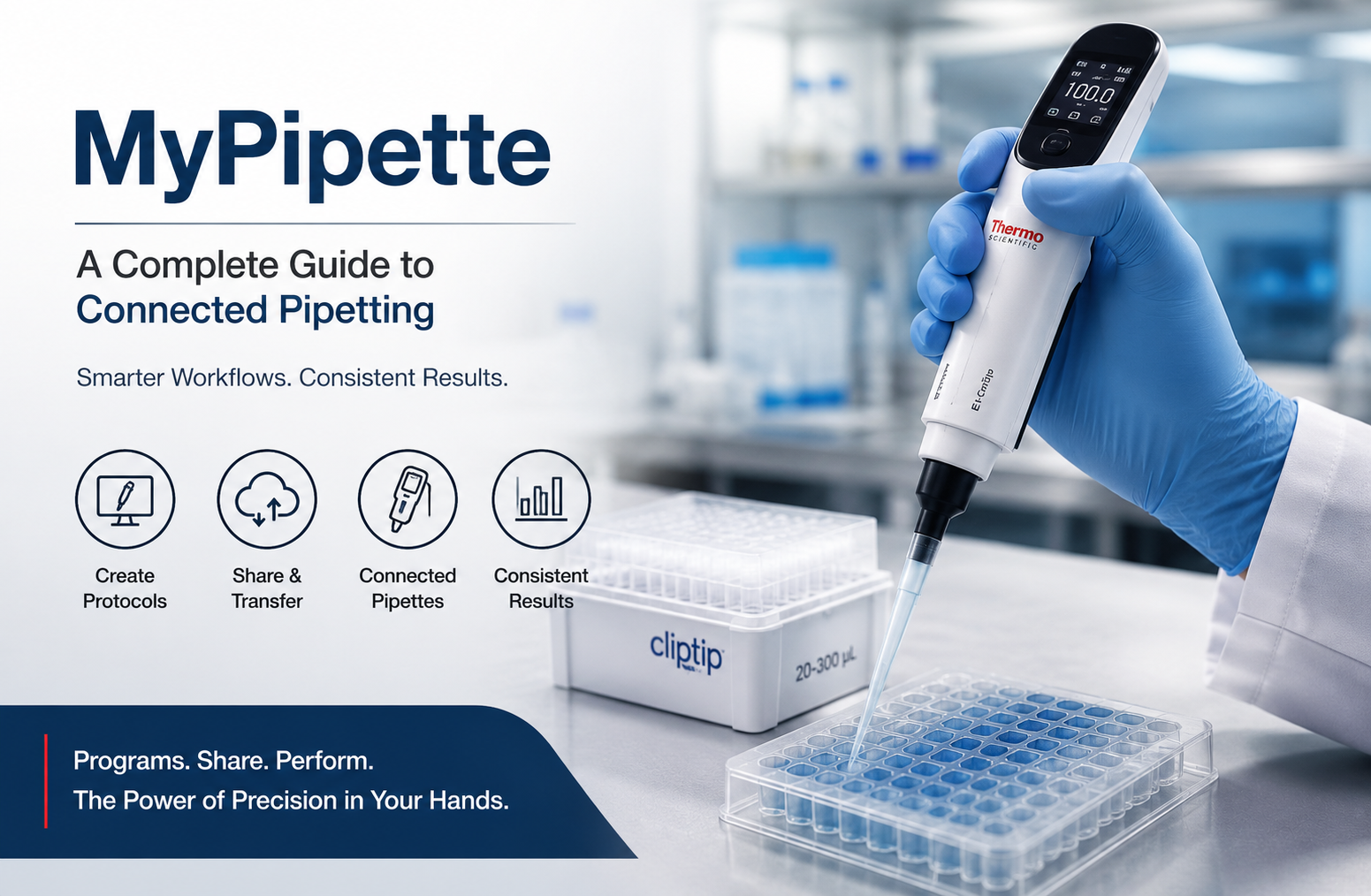
MyPipette: A Complete Guide to Connected Pipetting
MyPipette: A Complete Guide to Connected Pipetting
MyPipette is a laboratory pipetting technology associated with Thermo Fisher Scientific’s connected electronic pipetting ecosystem, particularly the My Pipette Creator application used with compatible E1-ClipTip electronic pipettes. Instead of treating pipetting as a simple manual task, the system brings programming, protocol management, sharing, and connected workflow control into a digital environment.
For laboratories that perform repeated liquid transfers, the value of this approach is not simply convenience. Consistency matters. A protocol that is entered differently by different users can introduce avoidable variation, while a clearly programmed workflow can make repeated steps easier to standardize. My Pipette Creator is designed around this idea by allowing users to create pipetting programs on a computer, transfer them to compatible electronic pipettes, share protocols with colleagues, and access preprogrammed protocols for selected assays and reagent kits.
The important point is that MyPipette should not be understood as a universal replacement for every pipette or as a fully automated laboratory robot. Its practical role is more specific: it connects compatible electronic pipetting hardware with software-based protocol creation and management.
This distinction matters when evaluating whether the system is suitable for a particular laboratory. The hardware, software, tips, workflow, calibration practices, and experimental requirements all need to work together.
What Is MyPipette?
MyPipette refers to a Thermo Fisher Scientific pipetting ecosystem centered around connected electronic pipettes and the My Pipette Creator application. The application is described by Thermo Fisher as a web-based tool that works with compatible E1-ClipTip electronic pipettes. It can be used to create protocols, manage programs, share workflows, and transfer programs to connected pipettes.
The name can create confusion because pipetting is a broad laboratory activity and similar terminology appears in unrelated products and scientific software. In the Thermo Fisher context, however, the important concept is connected pipetting.
Traditional manual pipetting requires the operator to control the volume, aspiration, dispensing, and timing of individual steps. An electronic pipette can automate portions of that interaction, while connected software can move some protocol design and management tasks away from the instrument itself.
That creates a workflow that can look like this:
- A researcher develops or selects a pipetting protocol.
- The protocol is configured using My Pipette Creator.
- The program is transferred to a compatible electronic pipette.
- The user performs the protocol using the pipette.
- The same program can potentially be shared or transferred to other compatible instruments.
- Laboratory teams can use standardized programs instead of repeatedly entering the same sequence manually.
This approach becomes especially useful when a laboratory performs repetitive procedures or when several researchers need to follow the same liquid-handling workflow.
How MyPipette Works
The easiest way to understand MyPipette is to separate the system into three connected components: the software, the electronic pipette, and the protocol.
The software layer
My Pipette Creator provides a computer-based environment for creating and managing pipetting programs. Thermo Fisher states that programs can be transferred between the application and compatible E1-ClipTip electronic pipettes through wireless or USB connectivity.
This changes an important part of the user experience.
Instead of entering every complex sequence directly on a small pipette interface, a researcher can prepare the program from a computer. For laboratories with recurring procedures, that can make protocol preparation easier to review and reproduce.
The electronic pipette layer
The connected pipette is the physical instrument that performs the liquid-handling actions.
The Thermo Scientific E1-ClipTip is an electronic pipette that operates using an air-displacement principle and is intended for aspirating and dispensing liquids. It is designed to work with ClipTip pipette tips.
Depending on the specific model, users can have access to functions such as programmable protocols, electronic tip ejection, different operating modes, and user profiles.
The exact capabilities should always be checked against the model being used because not every electronic pipette has the same specifications.
The protocol layer
The protocol is where the software becomes useful to everyday laboratory work.
A protocol can define a sequence of pipetting actions. Rather than relying entirely on memory, a researcher can work from a programmed sequence.
This is particularly valuable when the procedure contains repeated steps such as:
- Aspirating a specified volume
- Dispensing into multiple wells
- Mixing
- Performing repeated transfers
- Changing dispensing behavior
- Following a predefined sequence
- Repeating standardized liquid-handling operations
The benefit is not that the system eliminates scientific judgment. It helps move repetitive mechanical instructions into a more controlled workflow.
MyPipette and Protocol Standardization
One of the strongest reasons to consider a connected pipetting system is protocol standardization.
Imagine a laboratory where five researchers perform the same assay. If every person manually enters the same sequence into an electronic pipette, small differences can occur in settings or procedure. One user may choose a different speed, another may omit a step, and another may enter a volume incorrectly.
A shared digital protocol can reduce the number of opportunities for those differences to occur.
Thermo Fisher specifically describes My Pipette Creator as a way to create, share, and transfer programs between compatible pipettes and colleagues. It also provides access to a Protocol Library containing selected preprogrammed protocols.
That makes the system particularly relevant to laboratories where reproducibility and consistent execution are important.
However, protocol sharing should never be confused with scientific validation.
A shared protocol can make execution more consistent, but researchers still need to confirm that the protocol is appropriate for their sample, reagent, equipment, and experimental design.
Main Benefits of MyPipette
The practical benefits depend on the laboratory and the connected pipette model, but several advantages stand out.
1. More consistent repetitive workflows
Repetitive pipetting is vulnerable to human variation. A programmed sequence can provide a consistent set of instructions for recurring operations.
This does not guarantee perfect experimental results. Liquid properties, tip selection, temperature, technique, calibration, and instrument condition still matter.
But reducing unnecessary variation in programming is useful.
2. Easier protocol sharing
A protocol created by one researcher can potentially be shared with colleagues through the connected ecosystem.
This can be especially useful in laboratories where several people perform the same assay.
Instead of explaining a long sequence verbally or asking each user to recreate it, the laboratory can maintain a digital version of the procedure.
3. Centralized program management
The ability to manage programs from a computer is valuable when many protocols are involved.
A laboratory may have different workflows for sample preparation, reagent distribution, plate setup, serial transfers, and other repetitive operations.
Organizing those programs digitally can make the workflow easier to manage than relying solely on handwritten notes or individual instrument settings.
4. Reduced repetitive programming
Programming complex sequences directly on a small instrument interface can be inconvenient.
My Pipette Creator moves protocol creation to a computer environment, which can make the setup process more practical for complicated or frequently reused procedures. Thermo Fisher also notes that this can help minimize programming errors associated with repeatedly entering protocols on individual pipettes.
5. Access to selected preprogrammed protocols
The Protocol Library is another useful part of the ecosystem.
Thermo Fisher describes the library as a collection of preprogrammed protocols designed for selected assays and reagent kits. These can be downloaded and transferred to compatible pipettes.
The advantage is obvious for supported workflows: researchers may not need to build every sequence from scratch.
Still, users should verify the protocol against the current manufacturer’s instructions and their own validated laboratory procedure before using it.
MyPipette and Laboratory Reproducibility
Reproducibility is one of the most important reasons to take pipetting seriously.
A laboratory result is not determined only by the final analytical instrument. Sample preparation and liquid handling can influence what happens later.
For example, consider a workflow that requires multiple reagent additions. If one researcher consistently dispenses the intended volume while another introduces variation through inconsistent settings or technique, the difference can propagate through the experiment.
A connected pipetting workflow can address part of this problem by standardizing programmed instructions.
But there is an important limitation.
Software consistency is not the same thing as experimental accuracy.
A perfectly programmed pipette can still produce poor results if:
- The pipette requires calibration.
- The wrong tips are used.
- Tips are not properly attached.
- The liquid is difficult to pipette.
- The operator uses inappropriate technique.
- Samples are contaminated.
- Environmental conditions affect the procedure.
- The selected protocol is unsuitable for the application.
This is why MyPipette should be considered one part of a broader quality system rather than a standalone solution.
Why Pipette Technique Still Matters
Digital pipetting does not make good laboratory technique unnecessary.
Air-displacement pipettes are affected by the relationship between the instrument, tip, liquid, and environment. The operator still needs to understand appropriate aspiration and dispensing practices.
Common factors include:
- Keeping the pipette at an appropriate angle during aspiration
- Using compatible tips
- Avoiding unnecessary contact with liquid
- Controlling aspiration and dispensing behavior
- Considering liquid viscosity
- Preventing aerosols and contamination
- Changing tips when required
- Following laboratory contamination-control procedures
A connected system can make instructions more repeatable, but it cannot compensate for every physical factor involved in liquid handling.
This is one of the most important practical lessons when adopting digital pipetting technology: automation of instructions does not remove the need for laboratory expertise.
MyPipette for High-Throughput Laboratory Work
High-throughput environments are often where connected pipetting becomes particularly interesting.
When a laboratory performs the same liquid-handling sequence hundreds or thousands of times, small workflow inefficiencies can become significant.
For example, a researcher may repeatedly need to:
- Select a volume.
- Aspirate.
- Dispense.
- Mix.
- Change containers.
- Repeat the sequence.
The physical actions remain important, but a programmed electronic workflow can simplify the interaction with the instrument.
Thermo Fisher’s E1-ClipTip platform also includes models designed for multi-channel applications, including Equalizer versions with adjustable tip spacing. These configurations are intended to facilitate transfers between different labware formats.
For laboratories working with microplates and other multi-position formats, that can be more meaningful than simply having a digital display.
Ergonomics and Repetitive Pipetting
Ergonomics is another consideration that should not be overlooked.
Pipetting may look like a simple movement, but repeated manual actions can become physically demanding during long laboratory sessions.
The E1-ClipTip design incorporates electronic operation and index-finger pipetting, while electronic tip ejection reduces the need for repeated manual tip removal. Thermo Fisher presents these features as part of the instrument’s ergonomic design.
The practical value depends on the user’s workload.
A researcher performing a few transfers per day may notice little difference. Someone performing repetitive pipetting for several hours can have a very different experience.
When evaluating a pipette, it is therefore sensible to assess not only accuracy specifications but also:
- Grip comfort
- Activation force
- Tip ejection
- Instrument weight
- Balance
- Repetition frequency
- Hand position
- Battery management
- Ease of programming
Ergonomics is not a luxury when an instrument is used continuously.
MyPipette Features That Matter in Practice
The connected ecosystem contains several features that can be useful in a working laboratory.
Programmable protocols
Users can create and manage programs rather than relying entirely on manual repetition.
This is one of the central reasons the software exists.
Protocol sharing
Programs can be shared with colleagues, which can support standardized laboratory workflows.
Wireless and USB connectivity
Compatible E1-ClipTip pipettes can connect to the My Pipette Creator environment using Bluetooth or USB, depending on the configuration.
User profiles
Some E1-ClipTip models support multiple user profiles. This can be helpful when several researchers use the same instrument but require different preferences or programs.
Protocol storage
Certain models provide storage for frequently used programs. Thermo Fisher documentation and product information describe storage for up to 30 programs on supported configurations.
Service and calibration reminders
Some compatible E1-ClipTip configurations include service and calibration tracking features.
This is particularly useful because instrument maintenance is an essential part of reliable liquid handling.
How to Get Started With MyPipette
A sensible implementation begins with the workflow, not the software.
Step 1: Identify the exact pipette model
First determine whether your electronic pipette is compatible with the My Pipette Creator ecosystem.
Do not assume that every Thermo Scientific pipette supports every connected feature.
Check the exact model documentation.
Step 2: Confirm software requirements
Determine which My Pipette Creator and connectivity tools are required for your system.
Thermo Fisher provides a My Pipette Connect Utility for Windows for connecting compatible E1-ClipTip electronic pipettes with the My Pipette Creator environment.
Step 3: Define the protocol
Before programming anything, write down the actual laboratory procedure.
Record:
- Volumes
- Number of transfers
- Mixing requirements
- Dispensing sequence
- Tip changes
- Labware
- Reagent requirements
- Timing considerations
This prevents the software from becoming a substitute for proper protocol design.
Step 4: Build the digital program
Create the program using the available software tools.
At this stage, review every step carefully.
A digital protocol is powerful because it can be repeated. That also means an incorrect protocol can be repeated just as consistently.
Step 5: Test before routine use
Never assume that a newly created program is correct simply because it transfers successfully.
Run a controlled test.
Check whether:
- The sequence is correct.
- The volumes match the laboratory procedure.
- The pipetting behavior is appropriate.
- The correct tips are being used.
- The instrument responds as expected.
Step 6: Document the approved version
Once the protocol has been verified, document the version used by the laboratory.
This is particularly important when several researchers share instruments.
Step 7: Train users
Users should understand both the digital program and the physical pipetting technique.
Training should cover:
- Instrument operation
- Tip attachment
- Protocol selection
- Program verification
- Contamination prevention
- Basic troubleshooting
- Maintenance
- Calibration requirements
Common MyPipette Mistakes to Avoid
Even sophisticated laboratory technology can be undermined by simple mistakes.
Mistake 1: Assuming the software guarantees accuracy
It does not.
Software can control programmed instructions, but actual pipetting performance depends on the entire system.
Mistake 2: Ignoring calibration
A pipette should remain within the accuracy and precision requirements of the laboratory’s procedures.
Follow the manufacturer’s maintenance guidance and your laboratory’s calibration program.
Mistake 3: Treating every liquid the same
Water-like liquids behave differently from viscous, volatile, foaming, or otherwise challenging liquids.
The correct technique and settings can depend on the liquid.
Mistake 4: Reusing an unverified protocol
A program created for one application should not automatically be assumed suitable for another.
Reagent manufacturers may provide application-specific instructions for a reason.
Mistake 5: Failing to check tips
Tip compatibility and sealing are fundamental.
For the E1-ClipTip system, the ClipTip interface is specifically designed to create a secure connection between the tip and pipette.
Mistake 6: Forgetting software and firmware management
Connected instruments depend on more than physical hardware.
Software, connectivity utilities, and instrument firmware can all matter to the overall workflow. Thermo Fisher describes My Pipette Creator as supporting firmware updates alongside protocol creation and sharing.
MyPipette in Molecular Biology
Molecular biology frequently involves repetitive and volume-sensitive liquid handling.
Workflows may include reagent preparation, sample transfer, PCR setup, plate preparation, and other repeated operations.
A programmable electronic pipette can be useful when the same sequence needs to be performed consistently across many samples.
However, molecular biology users should pay particular attention to contamination control.
The most advanced pipette cannot prevent contamination caused by poor laboratory practice.
A good workflow therefore combines:
- Appropriate tip selection
- Proper sample handling
- Controlled pipetting technique
- Consistent programming
- Appropriate cleaning
- Clear sample identification
- Correct storage and maintenance
The software helps with the mechanical consistency of the process, but the laboratory remains responsible for the overall experimental design.
MyPipette in Pharmaceutical Research
Pharmaceutical laboratories often deal with repeatability, documentation, quality systems, and standardized procedures.
Connected pipetting can support routine liquid-handling workflows by making recurring programs easier to reproduce.
The real benefit appears when the system is incorporated into a larger laboratory process.
For example, a laboratory may create an approved pipetting program for a recurring preparation step. Authorized users can then work from the same digital procedure rather than recreating the sequence independently.
The important distinction is that a pipetting program is not automatically a validated pharmaceutical process. Validation requirements depend on the application, laboratory, organization, and applicable regulations.
MyPipette in Clinical and Diagnostic Laboratories
Clinical laboratories have particularly strong reasons to care about consistency.
Small procedural differences can affect downstream results, which is why laboratories generally rely on controlled procedures, quality checks, equipment maintenance, and trained personnel.
A connected pipetting system may support standardization for appropriate workflows, but it should be integrated into the laboratory’s existing quality framework.
Users should consider:
- Instrument qualification
- Calibration
- Maintenance records
- Approved procedures
- Operator training
- Quality control
- Documentation
- Traceability requirements
The technology is most valuable when it strengthens an existing quality process rather than being treated as a shortcut around one.
How to Evaluate Whether MyPipette Is Right for Your Laboratory
Buying or adopting connected pipetting technology should begin with a practical assessment.
Ask these questions:
How repetitive is the work?
If your laboratory performs the same sequence repeatedly, programming can offer meaningful benefits.
How many people use the instrument?
Shared instruments can benefit from centralized protocols and user profiles.
How complex are the protocols?
Simple single-step transfers may not justify sophisticated programming. Complex repetitive workflows are more likely to benefit.
Do you need protocol sharing?
If multiple researchers need the same procedure, centralized program management becomes more valuable.
Do you use compatible equipment?
Compatibility is essential. Confirm the exact pipette model and required software before planning deployment.
How important is ergonomics?
For high-frequency pipetting, ergonomic improvements may have a significant practical impact.
What are your maintenance requirements?
Calibration and service should be considered part of the total ownership process, not an afterthought.
MyPipette vs Traditional Manual Pipetting
Traditional manual pipetting remains extremely useful.
A researcher may prefer a manual pipette for occasional transfers, quick measurements, or workflows that change frequently.
Connected electronic pipetting becomes more attractive when the laboratory needs repeatability, programmable sequences, protocol sharing, or reduced repetitive interaction.
The decision is therefore not simply “digital versus manual.”
A better question is:
Which parts of the workflow benefit from standardization, and which parts still require direct user control?
In many laboratories, the best answer can be a combination of manual and electronic pipetting.
Manual instruments may remain practical for flexible tasks, while electronic systems handle recurring procedures.
The Role of MyPipette in Modern Laboratory Workflows
Laboratory technology is increasingly moving toward connected workflows.
Instead of treating each instrument as an isolated device, modern systems can connect hardware, software, protocols, and users.
My Pipette Creator fits into that broader direction.
Its importance is not that it makes pipetting completely autonomous. Rather, it creates a bridge between a researcher designing a procedure and an electronic instrument executing repetitive liquid-handling instructions.
That distinction is important.
Automation does not have to mean removing humans from the process. In many laboratories, the more realistic goal is to remove unnecessary repetitive work while keeping scientific decisions under human control.
A researcher still decides what experiment should be performed, which reagents are appropriate, what controls are required, and how results should be interpreted.
The pipette simply becomes a more programmable part of that workflow.
What MyPipette Does Not Replace
There are several things a connected pipetting system cannot replace.
It does not replace:
- Experimental design
- Laboratory training
- Proper calibration
- Quality control
- Good pipetting technique
- Appropriate tip selection
- Contamination control
- Reagent quality
- Sample integrity
- Scientific judgment
- Laboratory safety procedures
This is perhaps the most important perspective for new users.
Technology is most effective when it removes avoidable variation without creating a false sense of security.
Best Practices for Reliable Results
If your laboratory uses a connected electronic pipetting system, a few habits can improve reliability.
First, keep protocols clearly named. A vague program name makes it harder for users to identify the correct procedure.
Second, review protocols before execution. Especially when several programs are stored on the same instrument, selecting the wrong one can produce avoidable errors.
Third, maintain the instrument according to manufacturer and laboratory requirements.
Fourth, use appropriate tips and verify that the tip is securely attached.
Fifth, train every user rather than assuming that electronic operation eliminates the need for instruction.
Sixth, periodically review recurring protocols. Laboratory procedures change, and an old digital program can remain available long after the underlying procedure has been updated.
Finally, distinguish between a convenient program and an approved laboratory method. Those are not automatically the same thing.
Where to Find Official MyPipette Information
For users looking for documentation, software information, compatible equipment, or current support resources, the best starting point is the official Thermo Fisher Scientific ecosystem rather than third-party articles.
The official resource can be found through the relevant My Pipette section of Thermo Fisher Scientific.
This is particularly important because software compatibility, supported instruments, downloads, and product specifications can change over time.
Frequently Asked Questions About MyPipette
What is MyPipette used for?
MyPipette is associated with Thermo Fisher Scientific’s connected pipetting ecosystem. My Pipette Creator is used to create, manage, transfer, and share programs for compatible electronic pipettes.
Is MyPipette a physical pipette?
The terminology can refer to different parts of the Thermo Fisher ecosystem. My Pipette Creator is software, while the connected hardware includes compatible E1-ClipTip electronic pipettes. The two work together as part of a connected pipetting workflow.
Can MyPipette share protocols between users?
Yes. My Pipette Creator is designed to support protocol sharing and program transfer between compatible electronic pipettes and colleagues.
Does MyPipette automatically make pipetting accurate?
No. Programming can improve consistency, but accuracy still depends on the instrument, calibration, tips, liquid properties, technique, maintenance, and appropriate protocol design.
Can MyPipette work with every laboratory pipette?
No. Compatibility depends on the specific instrument and software environment. My Pipette Creator is specifically associated with compatible Thermo Scientific electronic pipettes, including the E1-ClipTip platform.
Why would a laboratory use MyPipette instead of manual programming?
The main advantage is workflow management. Creating programs on a computer, transferring them to compatible pipettes, sharing them, and using stored protocols can be more efficient for repetitive or standardized procedures.
Conclusion
MyPipette represents an important shift in how electronic pipetting can fit into modern laboratory workflows. Its value is not simply that a pipette becomes digital. The bigger advantage comes from connecting the physical instrument with programmable protocols, centralized management, sharing capabilities, and repeatable procedures.
For laboratories that perform recurring liquid-handling tasks, this can reduce repetitive programming and make standardized workflows easier to implement. The ability to create programs on a computer and transfer them to compatible electronic pipettes is particularly useful when multiple researchers need to follow the same procedure.
At the same time, MyPipette should not be viewed as a substitute for laboratory expertise. Calibration, maintenance, appropriate tips, correct technique, contamination control, and careful protocol validation remain essential.
The strongest use case is therefore not “automation for its own sake.” It is controlled, repeatable liquid handling where digital programming genuinely improves the workflow.
When evaluated in that context, MyPipette can be a useful component of a modern laboratory’s approach to consistency, efficiency, and reproducibility.





2 Comments