Talaxy: Features, Benefits, Uses, and Complete Guide
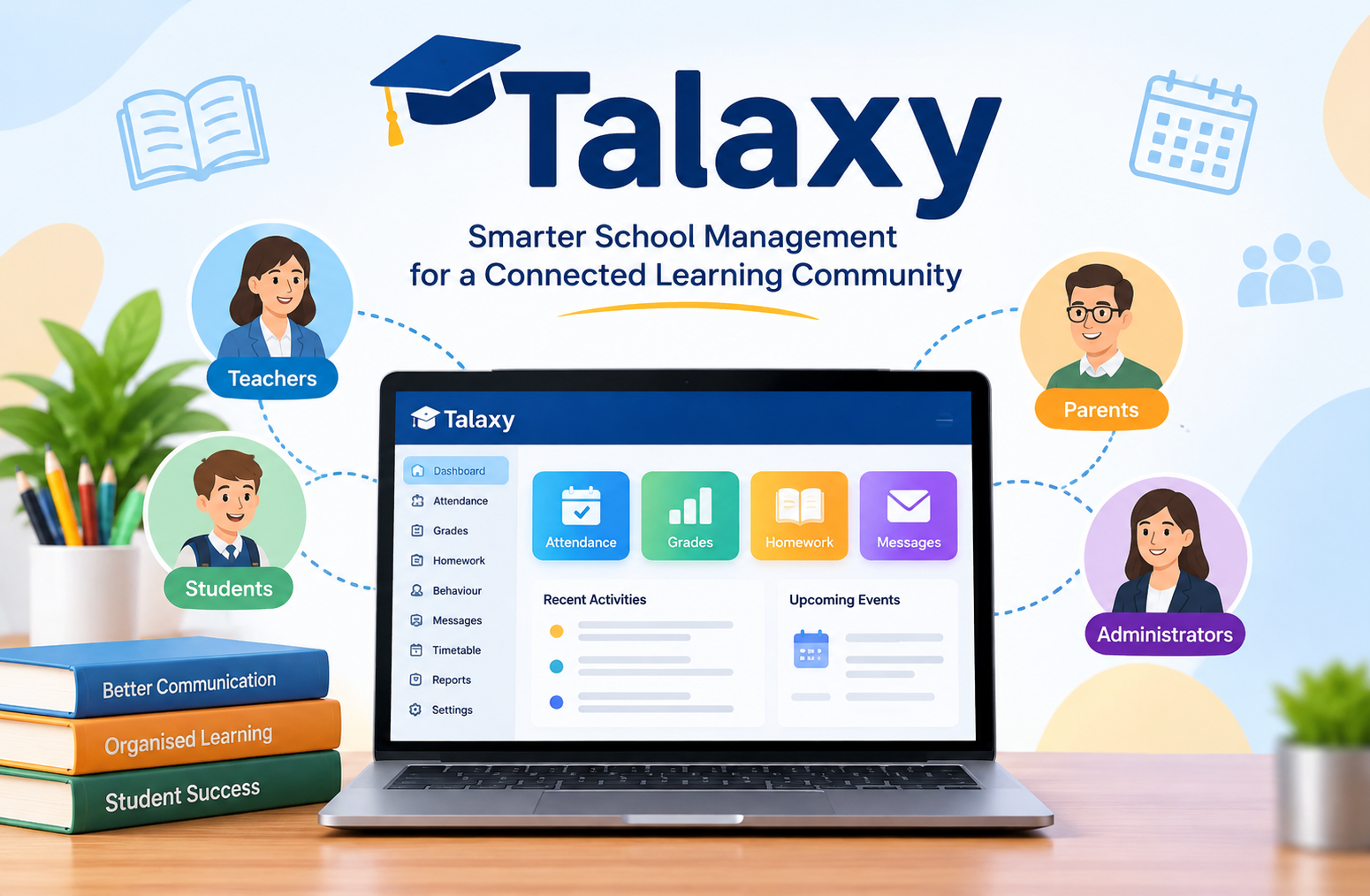
Talaxy is a school-focused digital platform designed to make communication, student information management, and everyday educational activities easier to handle. It provides a connected environment where teachers, students, parents, and school administrators can access important information without depending entirely on separate systems. From attendance records and academic performance to homework assignments and parent communication, the platform brings several school-related functions together.
As educational institutions continue to adopt digital tools, managing information efficiently has become increasingly important. Schools deal with large amounts of information every day, including student records, examination results, classroom activities, behaviour reports, timetables, and messages to families. When these tasks are spread across different applications, keeping everything organised can become difficult.
This is where Talaxy becomes relevant. Developed by TASC Software Solutions Ltd, the platform offers a collection of customisable tools that schools can select according to their operational requirements. Its purpose is not simply to replace paper records with digital versions. It also aims to connect different parts of school administration and improve how information moves between staff members, students, and parents.
However, understanding what the platform actually offers requires looking beyond its name. This guide explores its purpose, features, practical applications, benefits, limitations, accessibility, and important considerations for schools and families.
What Is Talaxy?
Talaxy is a cloud-based school management and communication platform developed by TASC Software Solutions Ltd. It is designed to enhance existing school Management Information Systems (MIS) by providing additional tools for managing educational activities and sharing information.
The platform brings together different functions that schools may otherwise manage through separate applications. These include:
- Student registration and attendance management.
- Academic grades and assessment records.
- Homework assignments and quizzes.
- Behaviour management.
- Parent and teacher communication.
- Timetables and classroom organisation.
- Examination information.
- School reports and documents.
- Absence reporting.
- Parent evenings and event management.
One important characteristic is its modular structure. Schools can select the tools that match their requirements instead of adopting every available feature at once.
For example, a school that primarily wants to improve parent communication may choose relevant communication and parent portal tools. Another institution may require more advanced attendance tracking, assessment management, and classroom organisation features.
This flexible approach allows schools to develop their digital environment gradually.
It is also important to understand that access and available features can differ between institutions. A school determines which modules it uses and which information different groups of users can see.
Therefore, two students attending different schools may have different experiences even though both institutions use the same platform.
The Main Purpose Behind the Platform
The central purpose of this educational software is to make school information easier to manage, access, and communicate.
Traditional school administration often involves several disconnected processes. Teachers record attendance, administrators maintain student records, parents receive updates, and students check homework through different channels.
Although each process may work independently, the overall system can become complicated.
Consider a typical school day.
A teacher needs to record attendance, review student performance, update behaviour information, and communicate important announcements. Meanwhile, parents want to know whether their child attended lessons, what homework has been assigned, and whether an examination or school event is approaching.
Without a connected information system, these activities can require repeated data entry and additional communication.
Talaxy aims to reduce this fragmentation by bringing selected school functions into one connected digital environment.
Its broader objectives include:
- Improving access to educational information.
- Reducing repetitive administrative work.
- Supporting communication between schools and families.
- Helping teachers organise classroom activities.
- Making student progress easier to monitor.
- Supporting more consistent administrative processes.
- Giving schools flexibility when selecting digital tools.
The value of such a platform depends on how well it fits the institution’s existing processes. Software alone cannot improve school administration if users do not understand how to operate it or if the institution does not maintain accurate information.
Key Features of Talaxy
The platform offers several groups of tools for different educational needs. Not every school necessarily activates every available feature.
Understanding these functions helps parents, students, and educational professionals recognise where the software can be useful.
1. Student Information Management
Student information is one of the most important parts of school administration.
Schools need reliable records containing information about students, their classes, academic progress, attendance, and other relevant activities.
A centralised information environment can make it easier for authorised staff to locate and review these records.
Instead of repeatedly checking different documents or applications, staff members can work with connected information through the tools available to their institution.
This can support:
- Student record management.
- Access to relevant educational information.
- Organisation of class information.
- Better coordination between departments.
- More consistent record handling.
Accurate student information is essential because administrative decisions often depend on the quality of the underlying records.
2. Attendance and Registration
Attendance management is another important function.
Schools must maintain reliable information about which students are present, absent, late, or attending particular activities.
The platform includes registration and attendance-related tools that can help staff manage these responsibilities.
Depending on the school’s configuration, attendance information can support:
- Daily registration.
- Lesson attendance.
- Absence monitoring.
- Attendance reporting.
- Identification of repeated attendance concerns.
- Communication with parents about absences.
Some available tools also support QR-based registration.
For example, students in an institution that enables this function may use a QR code to register their presence in an approved setting.
This can be useful for certain study sessions, clubs, or other school activities.
However, QR registration should operate under clear school policies. It should not automatically replace every form of teacher-supervised attendance.
3. Academic Grades and Assessment Management
Monitoring academic performance requires more than recording final examination results.
Teachers need to evaluate progress throughout the academic year and identify areas where students may need additional support.
Assessment and grade management tools can help schools organise this information.
Possible uses include:
- Recording assessment results.
- Managing class marksheets.
- Reviewing student performance.
- Preparing academic reports.
- Monitoring progress against targets.
- Supporting grade review procedures.
The ability to organise assessment information can help teachers and school leaders identify patterns.
For instance, if a student performs well in one subject but struggles in another, the information may help teachers understand where additional learning support is appropriate.
However, grades should never be interpreted without context. Attendance, learning circumstances, assessment design, and individual student needs can all influence academic performance.
4. Behaviour Management
Positive behaviour and constructive feedback play important roles in creating a supportive learning environment.
The platform includes conduct management tools designed to help schools record achievements, monitor behavioural concerns, and follow established school procedures.
Depending on the configuration, these tools can support:
- Recording positive achievements.
- Documenting behavioural incidents.
- Managing detention information.
- Tracking conduct points.
- Producing behaviour reports.
- Recording interventions.
- Communicating relevant information to parents.
One useful aspect is the possibility of applying predefined school rules to administrative processes.
For example, a school may configure procedures that notify relevant staff when a student reaches a particular attendance or behaviour threshold.
This can help reduce inconsistent manual handling.
Nevertheless, behaviour records should be used responsibly. A digital record should support fair decision-making rather than define a student permanently by previous incidents.
5. Homework and Quizzes
Homework is an important connection between classroom learning and independent study.
Students need to know what work has been assigned, when it must be completed, and where relevant learning materials can be found.
The platform includes homework and quiz-related tools that can support these activities.
Students may use the available functions to:
- Review assigned homework.
- Check upcoming deadlines.
- Access relevant instructions.
- Organise schoolwork.
- Review learning tasks.
Teachers can use suitable tools to organise assignments and communicate expectations.
This is particularly useful when students have multiple subjects and different deadlines.
Parents may also benefit from improved visibility into homework responsibilities, depending on the access provided by their school.
However, digital homework management does not remove the need for students to develop independent study habits.
The platform can organise information, but students remain responsible for completing their assignments and managing their time.
6. Parent Portal and Family Communication
Communication between schools and families is essential for student development.
Parents often need information about attendance, academic progress, behaviour, timetables, and important school announcements.
The platform provides parent-facing tools that can help make this information more accessible.
Depending on the school, parents may be able to view:
- Attendance information.
- Timetables.
- Academic reports.
- Behaviour records.
- Homework details.
- Examination information.
- School announcements.
- Documents shared by teachers.
This can reduce the need to contact school offices for routine information.
It can also help parents become more involved in their children’s education.
For example, a parent who regularly checks attendance information may identify an unexpected absence earlier and contact the school if necessary.
However, parents should remember that the information displayed depends on what their institution has enabled and published.
7. School Reports and Documents
Schools frequently share documents with students and families.
These may include examination reports, newsletters, policies, educational plans, letters, and other important information.
Managing these documents through paper-based systems can involve printing, distributing, storing, and updating files.
The document management features available within the platform can support electronic sharing.
This may help schools:
- Distribute documents to relevant users.
- Reduce unnecessary printing.
- Organise educational records.
- Share newsletters and announcements.
- Make important information easier to access.
For parents, a central document area can also make it easier to locate information that might otherwise be lost in an email inbox or school bag.
8. Timetables and Classroom Organisation
A well-organised timetable helps students and teachers understand their daily responsibilities.
The platform includes classroom-related tools that support registration, lesson planning, seating arrangements, and other organisational activities.
These functions can help teachers manage their schedules and access relevant classroom information.
For students, timetable access can make it easier to prepare for lessons and understand daily arrangements.
For administrators, connected scheduling tools may support more efficient resource and room management.
The exact capabilities depend on the modules selected by the school.
9. Parent Evenings and Event Management
Communication with families also includes scheduled meetings and school events.
Parent evenings provide opportunities for teachers and parents to discuss academic performance, behaviour, progress, and individual learning needs.
Digital event management tools can help schools organise these activities.
Depending on the available configuration, relevant tools may support appointment management and event seat booking.
This can reduce administrative work associated with arranging meetings.
However, schools may continue to use separate services for certain activities. Parents should always follow the instructions provided by their institution rather than assuming every event is managed through one application.
Benefits of Using Talaxy
The usefulness of an educational platform should be measured by the practical problems it helps solve.
Its benefits can be considered from the perspectives of teachers, students, parents, and school administrators.
Benefits for Teachers
Teachers manage many responsibilities beyond delivering classroom lessons.
They must record attendance, assess performance, prepare assignments, communicate with parents, and maintain relevant student information.
A connected digital system can make these activities easier to organise.
Potential advantages include:
- Less dependence on disconnected administrative systems.
- Easier access to relevant student records.
- More organised assessment management.
- Improved communication with families.
- Better visibility into student progress.
- More consistent handling of behaviour records.
The greatest benefit is not simply having more digital tools. It is reducing unnecessary administrative complexity so teachers can focus more attention on teaching and student support.
Benefits for Students
Students benefit when important academic information is organised and accessible.
A student who can review a timetable, check homework, and understand upcoming deadlines may find it easier to manage daily responsibilities.
Potential benefits include:
- Better awareness of assignments.
- Easier access to school information.
- Improved organisation.
- Greater awareness of academic progress.
- More responsibility for independent learning.
Digital access can also encourage students to become more involved in their educational development.
However, technology should support learning rather than become a distraction.
Benefits for Parents
Parents need reliable information to support their children’s education.
A parent portal can make it easier to understand what is happening at school without waiting for a paper report or arranging a telephone conversation for every routine question.
Useful benefits include:
- Easier access to attendance information.
- Greater visibility into academic progress.
- Better awareness of homework.
- Access to school documents.
- More convenient communication.
- Improved awareness of important updates.
These benefits are especially relevant when parents want to remain involved in their children’s education despite busy schedules.
Benefits for School Administrators
School administrators often coordinate information across multiple departments.
Disconnected systems can create additional work because staff members may need to transfer information manually or maintain duplicate records.
A connected platform can help reduce this complexity.
Potential advantages include:
- More organised administrative processes.
- Improved information sharing.
- Configurable workflows.
- Centralised communication tools.
- Better access to reporting functions.
- More flexible digital infrastructure.
Schools may also benefit from selecting additional modules as their requirements change.
How Talaxy Works in a School Environment
Understanding the platform becomes easier when considering a realistic school workflow.
Imagine a secondary school that wants to improve communication between teachers, parents, and students.
The institution may use several relevant tools together.
Step 1: Student Information Is Organised
The school maintains student information through its existing management systems and connected educational tools.
Authorised staff members access the information required for their responsibilities.
Step 2: Teachers Manage Classroom Activities
Teachers use appropriate classroom functions to manage registration, assignments, assessment information, and behaviour records.
This helps keep important educational activities organised.
Step 3: Students Review Their Responsibilities
Students access available information about homework, timetables, and other school activities.
They can use this information to organise their daily work.
Step 4: Parents Stay Informed
Parents access the information their school makes available through its parent-facing tools.
They may review attendance, academic reports, and relevant announcements.
Step 5: Administrators Monitor Processes
School administrators use appropriate reporting and management functions to review information and coordinate school operations.
This workflow demonstrates how separate responsibilities can become part of a connected digital environment.
It also highlights an important point: successful implementation requires coordination between the software, school policies, and the people using it.
Who Can Use Talaxy?
The platform is designed to support several groups within educational institutions.
However, each group has different responsibilities and access requirements.
Parents and Guardians
Parents generally use the platform to stay informed about their children’s school activities.
Depending on the institution, they may access attendance records, academic reports, timetables, behaviour information, and school communications.
Their accounts are normally connected to the relevant student information through the school’s registration process.
Students
Students can use available features to review homework, timetables, assignments, and other educational information.
Some schools also provide additional classroom-related functions.
Teachers
Teachers use relevant tools to manage classroom activities, record information, organise assessments, and communicate with families.
School Administrators
Administrative staff may use attendance management, reporting, document sharing, communication, scheduling, and other organisational tools.
School Leadership Teams
School leaders may use available reporting and monitoring functions to understand institutional processes and review relevant information.
The specific access rights of each group should be determined by the school’s policies.
How to Access and Log In to Talaxy
Accessing the platform is not always the same for every user.
One important detail is that different schools may have their own dedicated login addresses.
For example, a participating school may provide a school-specific address ending in talaxy.app.
This means searching for a general login page may not always take users to the correct account.
The following steps provide a practical starting point.
Step 1: Contact Your School
Ask the school office or relevant administrator for the correct login address.
Do not assume that another school’s login page will work for your account.
Step 2: Check Your Invitation Email
Some institutions send registration invitations to the email address provided during student enrolment.
Check your inbox, including spam and junk folders.
Step 3: Open the Correct School Portal
Use the exact address provided by your school.
Confirm that the website belongs to the institution before entering personal information.
Step 4: Register Your Account
If you are a new user, follow the registration instructions provided by your school.
You may need to verify your email address or complete an account setup process.
Step 5: Sign In
After registration, enter your account details through the correct school portal.
If the system offers supported single sign-on options, follow the instructions displayed on the login page.
Step 6: Review Your Available Information
Once logged in, check the sections relevant to your role.
Parents may look for attendance and reports, while students may focus on homework and timetables.
Step 7: Enable Notifications
If your school supports notifications, review the available settings.
Subscribing to appropriate updates may help you stay informed about important school announcements.
Can You Use Talaxy on a Mobile Phone?
Yes. The platform is cloud-based, and participating schools may provide access through a Progressive Web App (PWA).
A PWA allows a website to provide an app-like experience without requiring users to install a traditional application through an app store.
This can make accessing educational information more convenient.
According to guidance published by Maidstone Grammar School, its Talaxy portal supports installation on Android devices through Chrome and on Apple devices through the Safari home-screen option.
The general installation process is as follows.
Android Devices
- Open Google Chrome.
- Visit the login address provided by your school.
- Open the browser menu.
- Select the installation option if available.
- Follow the instructions displayed on your device.
iPhone and iPad
- Open Safari.
- Visit your school’s portal.
- Tap the Share option.
- Select Add to Home Screen.
- Confirm the installation.
The available options may differ depending on the browser, device, and school configuration.
A home-screen shortcut can make access easier, but users should still protect their login details.
Is Talaxy Free to Use?
There is no single universal answer for every user.
The platform is a commercial software product provided to educational institutions. Its pricing and available services depend on the school’s requirements and the modules selected.
Parents and students generally access the system through a participating school rather than purchasing an independent subscription for personal use.
This distinction is important.
A parent may be able to use the portal without making a separate payment because the school has arranged the relevant service.
For schools considering implementation, pricing should be confirmed directly with the provider.
Before making a decision, institutions should understand:
- Which modules are included.
- Whether additional tools require separate payments.
- What initial setup involves.
- Whether integration work is required.
- What technical support is available.
- How future upgrades are handled.
It is better to evaluate the complete cost of ownership than to compare software based only on an initial subscription price.
Is Talaxy Safe for Students and Parents?
Safety is an important consideration because school management systems can handle sensitive information.
This may include student identities, attendance records, academic reports, behaviour information, and communication details.
The platform is intended for use by educational institutions, but users should not assume that the presence of a login screen automatically guarantees complete data protection.
Schools should evaluate the security arrangements before introducing any system that handles student information.
Important considerations include the following.
Account Permissions
Different users should only access information relevant to their responsibilities.
For example, a parent should not automatically receive access to another student’s private records.
Password Protection
Users should choose strong passwords and avoid sharing login credentials.
If a school supports additional authentication measures, users should follow its security guidance.
Privacy Policies
Schools should understand how student information is collected, stored, processed, and shared.
They should also establish clear rules for access and retention.
Device Security
Parents and students should avoid remaining logged in on shared or public computers.
When using a personal device, keeping the browser and operating system updated is also important.
School Oversight
Educational institutions should regularly review account permissions and administrative procedures.
A digital platform is only one part of a wider safeguarding and information security framework.
For UK schools, relevant data protection responsibilities should be considered alongside applicable UK GDPR requirements and the Data Protection Act 2018.
Common Problems Users May Experience
Like other online educational systems, users may occasionally experience access or technical problems.
Many issues are related to account registration, incorrect login addresses, browser compatibility, or missing information.
Understanding the possible causes can make troubleshooting easier.
1. Unable to Log In
One possible reason is using the wrong school portal.
Different institutions may operate separate addresses.
Check the login link provided by your school before trying again.
If the address is correct, review your username and password.
2. Registration Email Has Not Arrived
If you are expecting an invitation but cannot find it, check:
- Your primary inbox.
- Spam and junk folders.
- Other email accounts provided during enrolment.
- Whether your school has the correct email address.
If the invitation is still missing, contact the school office and request further assistance.
3. Forgotten Password
If you cannot remember your password, look for the password recovery option on your school’s login page.
Follow the displayed instructions.
If password recovery is unavailable or does not work, contact the school’s support team.
4. Student Information Is Missing
Sometimes parents expect to see information that has not yet been published or enabled.
For example, a school may not have uploaded a particular report.
It is also possible that a teacher has not completed the relevant administrative process.
Contact the school if important information appears incorrect or incomplete.
5. Reports Will Not Open
Document problems can sometimes be related to browser compatibility, device settings, or file handling.
Try the following:
- Refresh the page.
- Check your internet connection.
- Use an updated browser.
- Try another device.
- Switch to landscape orientation on a mobile device if the document viewer requires it.
If the problem continues, contact the institution.
6. Notifications Are Not Appearing
Some users may need to enable notifications manually.
Check the account settings and your device’s notification permissions.
Also confirm that the school has activated the relevant notification service.
Challenges and Limitations of the Platform
Although connected school software can improve organisation, it is not a perfect solution for every institution.
Schools should understand the potential challenges before implementation.
Dependence on Internet Access
A cloud-based system depends on suitable internet connectivity.
If a school or household experiences unreliable internet access, users may have difficulty retrieving information.
Institutions should consider alternative communication procedures for important situations.
Learning Curve for New Users
Even when software is designed to be easy to use, some users need time to understand its features.
Teachers, parents, and students may have different levels of digital confidence.
Schools should provide clear instructions and suitable training.
Data Accuracy
Digital records are only useful when the information entered into them is accurate.
Incorrect attendance information, outdated contact details, or incomplete assessment records can create confusion.
Staff members must follow consistent data entry procedures.
Feature Availability
Not every institution uses the same modules.
A parent who expects a particular function may discover that the school has not activated it.
This is not necessarily a technical fault. It may simply reflect the institution’s selected configuration.
Privacy Responsibilities
Managing student information requires careful attention.
Schools must establish appropriate access controls and data handling procedures.
They should not rely entirely on software settings to replace internal privacy policies.
Integration Requirements
Although the platform is designed to work alongside school management systems, institutions should evaluate their specific integration needs.
Before implementation, they should understand which existing systems are supported and whether additional technical work is necessary.
Talaxy vs Traditional School Management Methods
Traditional school administration often relies on paper records, spreadsheets, separate applications, and direct communication.
These methods can still be useful, particularly in smaller institutions.
However, they may become difficult to manage as the number of students, teachers, and administrative responsibilities increases.
The following comparison explains the practical differences.
| Area | Traditional Methods | Connected Digital Platform |
| Attendance | Paper registers or separate systems | Digital attendance tools |
| Homework | Printed instructions or messages | Online homework information |
| Communication | Letters, calls, and emails | Connected communication tools |
| Reports | Printed documents | Electronic reports |
| Timetables | Printed schedules | Online timetable access |
| Record access | Depends on physical or separate records | Access through authorised accounts |
| Administration | Repeated manual processes | Potentially more connected workflows |
| Updates | May require separate distribution | Can be shared digitally |
The main advantage of a connected system is convenience.
However, digital software does not automatically make every process better.
Schools still need clear procedures, accurate information, appropriate training, and reliable technical support.
Real-World Applications of the Platform
The practical value of educational software becomes clearer when examining common situations.
Supporting Parents During the School Year
Parents may want to understand whether their child is attending lessons regularly and keeping up with academic responsibilities.
A parent-facing portal can provide a convenient place to review relevant information.
This may encourage earlier communication between families and teachers when concerns arise.
Helping Students Manage Homework
A student with several subjects may struggle to remember every assignment.
Online homework information can help organise responsibilities and deadlines.
Students can review their work more systematically and develop better study routines.
Improving School Attendance Procedures
Attendance is an important part of school administration.
Digital registration and reporting tools may help staff maintain more organised records.
Schools can use this information to identify attendance patterns and follow their established procedures.
Organising Behaviour Information
A school may need to record positive achievements, behavioural concerns, and relevant interventions.
Connected conduct management tools can help staff maintain consistent records.
This can support more informed discussions about individual student needs.
Sharing Examination Information
Examination periods involve important communication between schools, students, and families.
Digital document and reporting functions can help institutions distribute relevant information.
Parents and students can then access available reports without depending entirely on printed copies.
Coordinating Staff Responsibilities
Teachers and administrative staff often need access to shared information.
A connected environment can help reduce the need to search through multiple disconnected systems.
The result may be more organised workflows, provided the school implements the tools correctly.
How Schools Can Make the Most of the Platform
Selecting software is only the beginning of a successful digital transformation.
Schools need a practical implementation strategy to ensure that staff, students, and parents understand how to use the available tools.
1. Identify Existing Problems
Before introducing new software, schools should identify the administrative problems they want to solve.
For example:
- Is attendance reporting too time-consuming?
- Are parents receiving information too late?
- Do teachers use too many disconnected applications?
- Is homework communication inconsistent?
- Are academic records difficult to organise?
Understanding these issues helps schools select relevant modules.
2. Select Appropriate Tools
Schools should avoid activating every feature simply because it is available.
Instead, they should prioritise tools that directly address their operational needs.
This can make implementation easier and reduce unnecessary complexity.
3. Prepare Staff Members
Teachers and administrative staff should understand how the selected tools work.
Training should explain practical tasks rather than simply introduce every available menu.
For example, teachers may need specific instructions for recording attendance, publishing assignments, and managing reports.
4. Explain the System to Parents
Parents should receive clear instructions explaining how to register, sign in, and locate important information.
Schools should also provide a contact point for login problems.
5. Review Data Quality
Before relying on digital records, institutions should check that important information is accurate.
This includes student details, contact information, attendance records, and academic data.
6. Evaluate Performance
After implementation, schools should review whether the selected tools are delivering practical improvements.
Useful measures may include:
- Time required for routine administration.
- Frequency of missing records.
- Parent engagement.
- Staff feedback.
- Communication delays.
- Technical support requests.
This evaluation can help schools identify areas that require improvement.
What Makes a School Platform Truly Useful?
A common mistake when evaluating educational software is focusing too heavily on the number of available features.
A system may offer hundreds of tools but still fail to improve everyday school activities if it is difficult to use.
A genuinely useful educational platform should satisfy several practical requirements.
Ease of use: Staff, students, and parents should be able to complete common tasks without unnecessary difficulty.
Reliable information: Important records should be accurate, organised, and updated through appropriate procedures.
Clear permissions: Users should only access information relevant to their roles.
Flexible configuration: Schools should be able to select tools that fit their actual requirements.
Effective communication: Important information should reach the correct people at the right time.
Technical support: Institutions should have a clear process for reporting problems and receiving assistance.
Accessibility: Users with different devices and accessibility requirements should be considered.
These principles are more important than promotional feature lists because they reflect how educational software performs in everyday use.
Is Talaxy Different From Other Websites With the Same Name?
Yes, and this is an important distinction.
The name is not exclusive to one online service in everyday search results.
The established school software discussed in this article is associated with TASC Software Solutions Ltd.
However, searches for the same name can also return other websites and services.
For example, Talaxy.app is used for individual school portals, while Talaxy.ai presents a separate AI-powered workforce solutions service.
These services should not automatically be treated as the same product.
When searching for the educational platform, users should verify:
- The identity of the organisation providing the service.
- Whether their school has an active account.
- The exact login address.
- Whether the page is linked from the school’s official website.
- Whether the requested information matches their school’s instructions.
This distinction helps prevent confusion and reduces the risk of entering personal information into an unrelated website.
For the official product description, users can visit the TASC Software TALAXY platform page.
The Future of Digital School Management
Digital school management continues to evolve as educational institutions adopt more connected systems.
Schools increasingly need tools that support communication, reporting, administration, and access to educational information.
Several developments are likely to remain important.
Greater Integration
Schools often use different systems for attendance, assessment, communication, and learning.
Improved integration can help reduce repeated data entry and make information easier to manage.
More Personalised Communication
Parents and students do not always need the same information.
Digital systems can support more relevant communication by directing updates to appropriate users.
Better Reporting
Organised information can help school leaders understand patterns in attendance, assessment, and other administrative activities.
However, reports must be interpreted carefully and should support, rather than replace, professional judgement.
Increased Mobile Accessibility
Mobile access is important because parents and students may need school information while away from a computer.
Progressive Web Apps and responsive websites can help make this information more accessible.
Responsible Use of Automation
Automation can reduce repetitive administrative work.
However, decisions involving student welfare, safeguarding, behaviour, and academic support should retain appropriate human oversight.
The future of educational technology should focus on improving learning environments rather than simply increasing the number of digital tools available.
Frequently Asked Questions (FAQs)
1. What is Talaxy used for?
Talaxy is a school management and communication platform used to support activities such as attendance tracking, academic reporting, homework management, behaviour records, timetables, and communication between schools and families.
2. Who developed Talaxy?
The school management platform discussed in this guide is developed by TASC Software Solutions Ltd. It provides configurable tools designed to work alongside school Management Information Systems.
3. How do parents log in to Talaxy?
Parents generally receive registration instructions or a login address from their child’s school. They should use the school’s specific portal rather than assuming that a general login address will work.
4. Can students use Talaxy on mobile devices?
Yes. The platform supports cloud-based access, and participating schools may provide Progressive Web App functionality. Depending on the device and browser, users may be able to add the portal to their home screen.
5. Is Talaxy free for parents?
Parents generally access the service through their child’s participating school. Whether an individual parent needs to pay depends on the school’s arrangement and the services it provides. There is no universal individual subscription price that applies to every institution.
6. Is Talaxy a learning management system?
It includes educational tools such as homework, quizzes, assessment management, and student information features. However, its broader purpose is school management and communication, rather than being limited to a traditional online learning platform.
Conclusion
Talaxy provides educational institutions with a flexible digital environment for managing school information, supporting classroom activities, and improving communication between teachers, students, and parents.
Its range of tools covers important areas such as attendance, academic assessment, behaviour management, homework, timetables, document sharing, and parent communication.
One of its defining characteristics is its modular approach. Schools can select the tools that match their requirements and expand their digital environment as their needs change.
For parents and students, the platform can make important educational information easier to access. Teachers may benefit from more organised classroom and administrative processes, while school leaders can use relevant management tools to support institutional operations.
Nevertheless, the overall experience depends on the school’s configuration, the accuracy of its records, user training, and its approach to data protection.
It is also important to verify the correct school login address because different institutions may operate separate portals, and similarly named websites may provide unrelated services.
Ultimately, educational technology is most valuable when it makes everyday school activities clearer, more organised, and easier to manage. A well-implemented system should support teachers, involve families, and help students take greater responsibility for their learning.